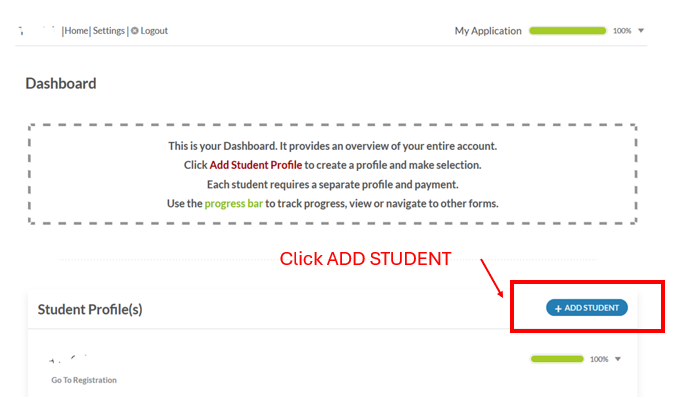
Registration Instructions
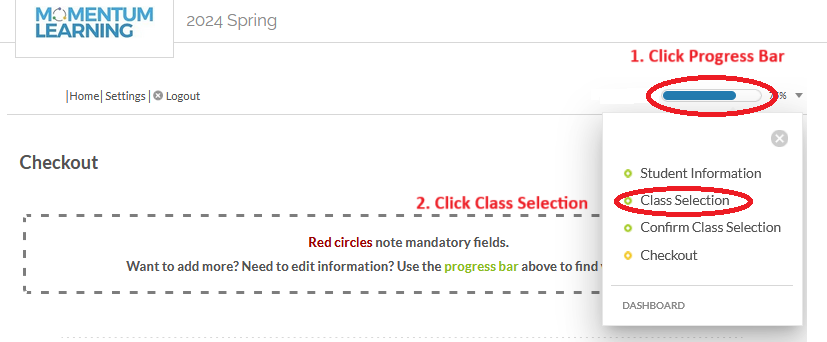
If you do not see the Class Selection page, click on Progress Bar left to the “percentage sign” on the same line as the student name, then select “Class Selection”.
Step 1: Get to Class Selection page
Step 2: Select the appropriate category to see classes listed below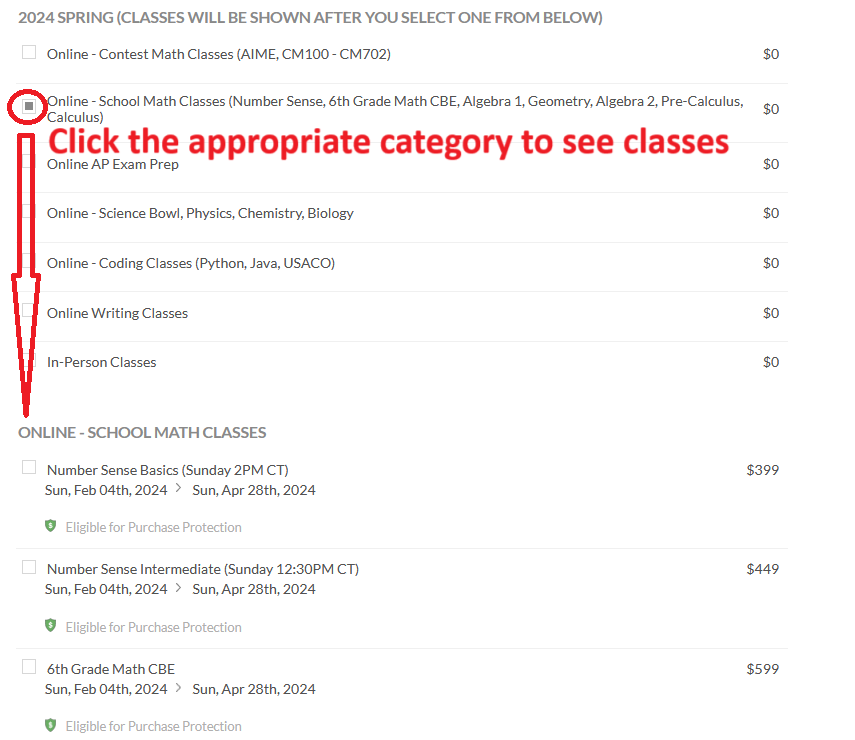
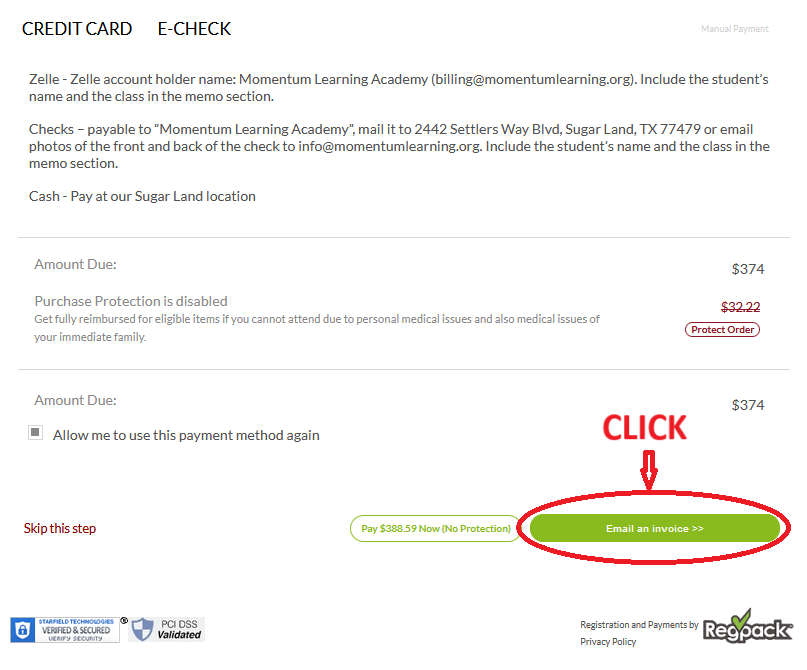
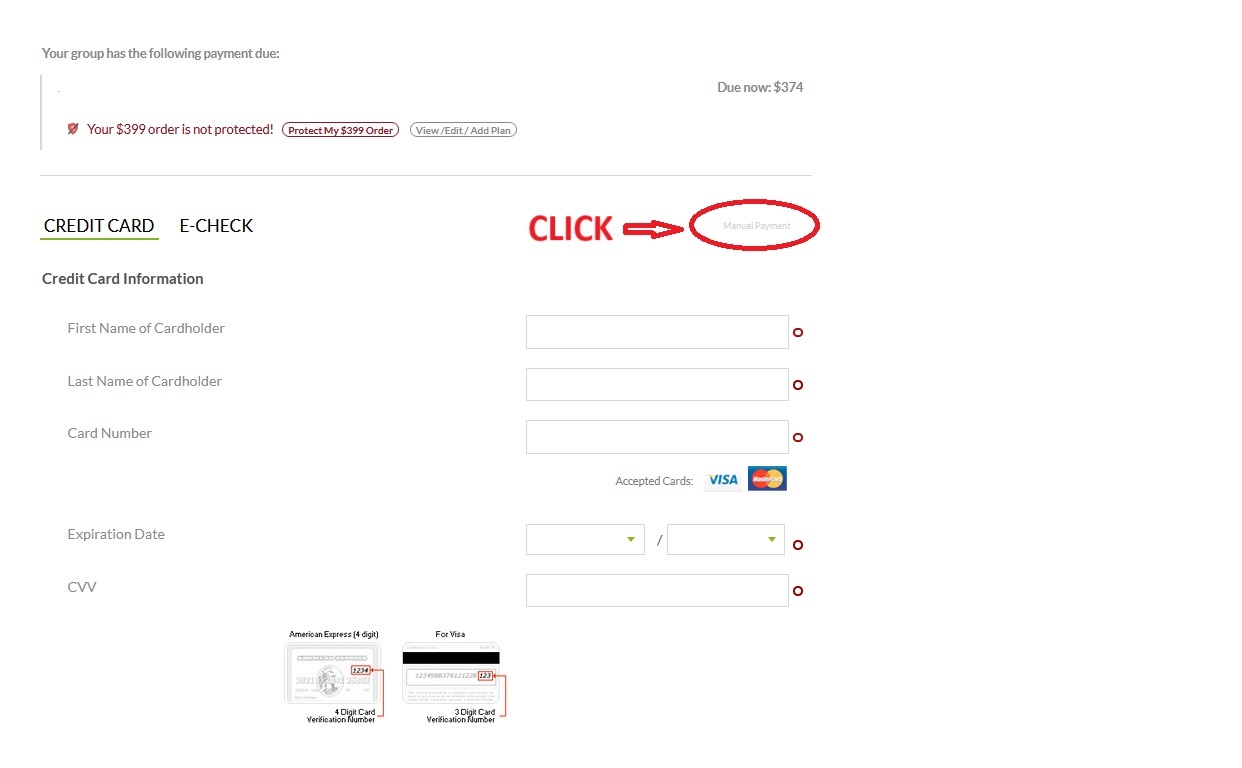
Step1: Click Manual Payment
Step2: Click Email an Invoice